Keep working offline
Core model preparation, slicing and USB control work locally after setup. No continuous internet connection is required.

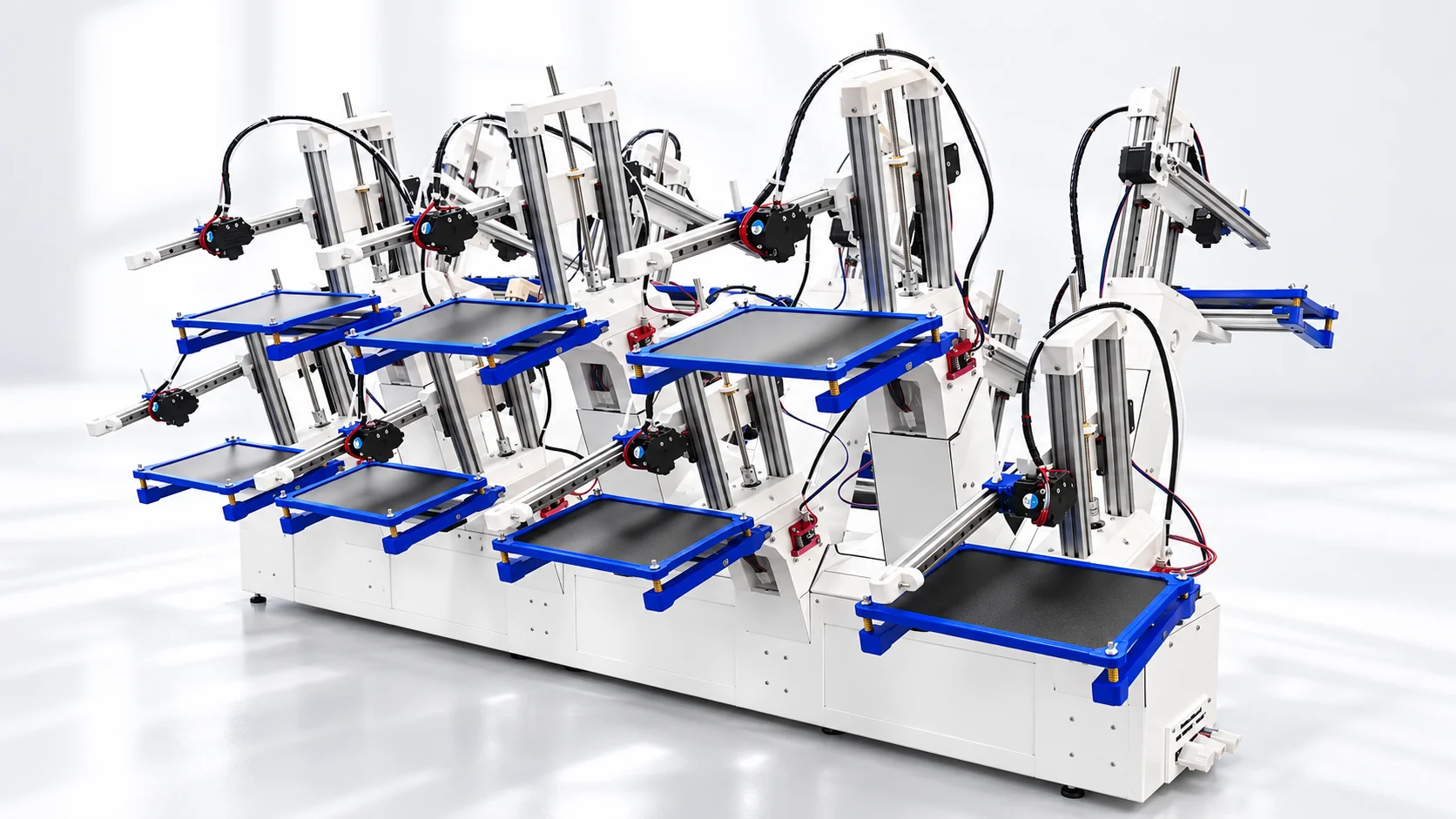
Orchard Platform
Bring a world of making to your school or community. Every Orchard includes 14 modules, operator training, and curriculum. Start with 3D printing and filament creation, with additional manufacturing processes in development.
Order now
Classroom concept illustration. Plan the complete working area for your configuration.
SYLVAN / YOUR ORCHARD SOFTWARE
Prepare models, slice, and control connected 3D printing modules in one Windows application. Core operation runs locally, without an internet connection.
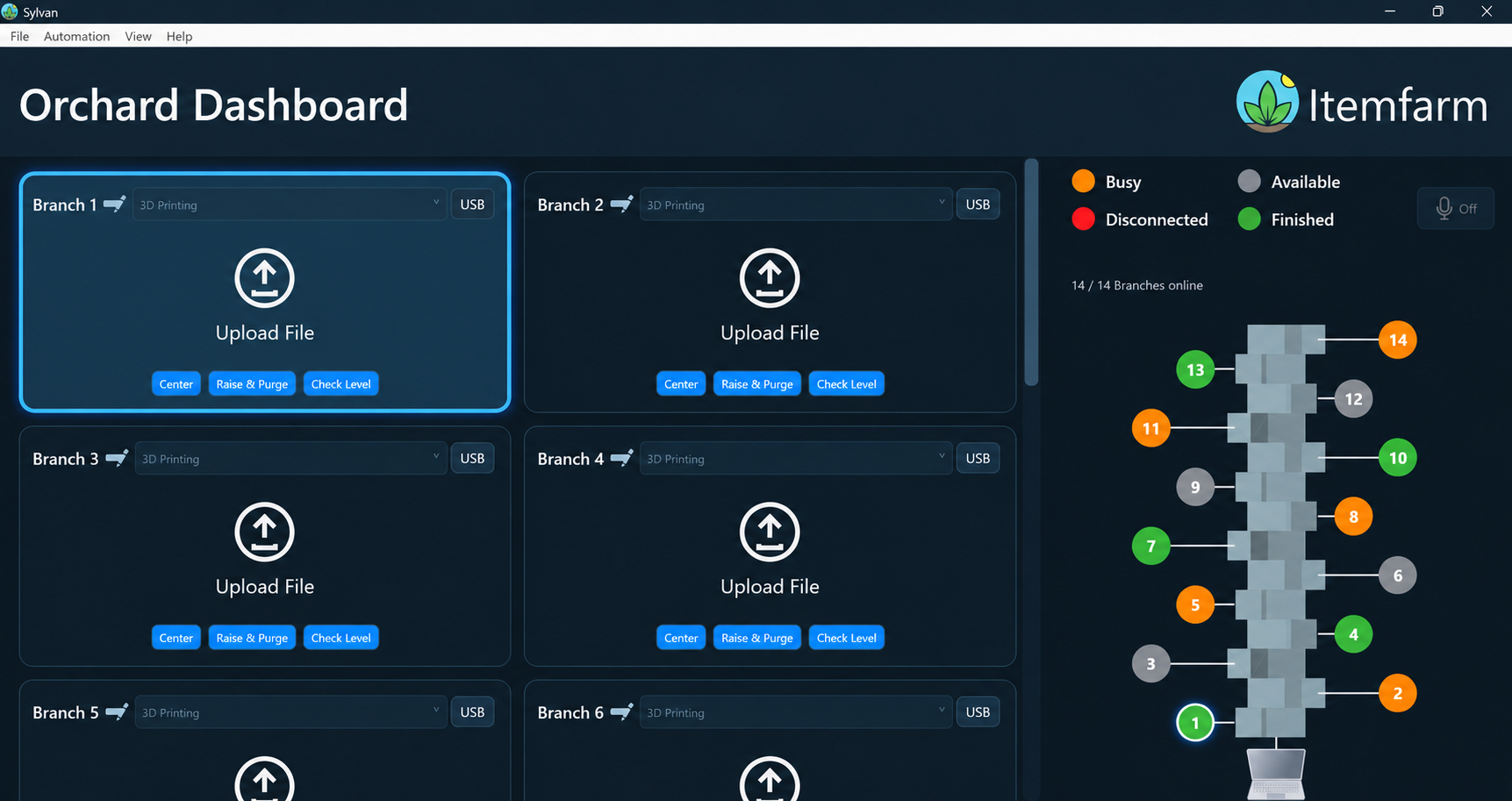
Import STL, OBJ or STEP models. Inspect them in 3D and resize proportionally without changing the original file.
Choose a shared PLA or PET profile. Automatic orientation and local Cura-based slicing prepare the model, then let you preview the generated toolpaths.
Send prepared G-code to a connected 3D printing module, or schedule a future start. Slicing alone does not start a print.
Core model preparation, slicing and USB control work locally after setup. No continuous internet connection is required.
Organize 14 branch positions in one dashboard. See busy, available and disconnected branches, with an indicator for completed builds.
Reuse shared material profiles and machine-action presets. Remembered USB settings simplify the next session.
Keep the Windows computer awake, Sylvan running, and compatible 3D printing modules connected by USB while streaming or waiting for a scheduled start. Scheduling supports one pending prepared G-code job per branch; the branch must be available and the operator must prepare the machine. There is no automatic bed clearing or part removal.
Reconnection restores communication, not interrupted prints. Initial setup may require Windows components and device drivers.
Optional offline voice shortcuts can select branches and request common actions. They require a microphone, installed Windows English speech recognition, and a focused dashboard. Printing and motion actions require on-screen confirmation.
Software features depend on the installed release. Filament Fabrication can be selected in the dashboard, but its recycling hardware controls are not yet implemented.
CHOOSE WHAT YOU WANT TO MAKE
Start with printing and recycling modules on a shared Orchard base. Choose today’s configuration around your projects, with more manufacturing processes in development.
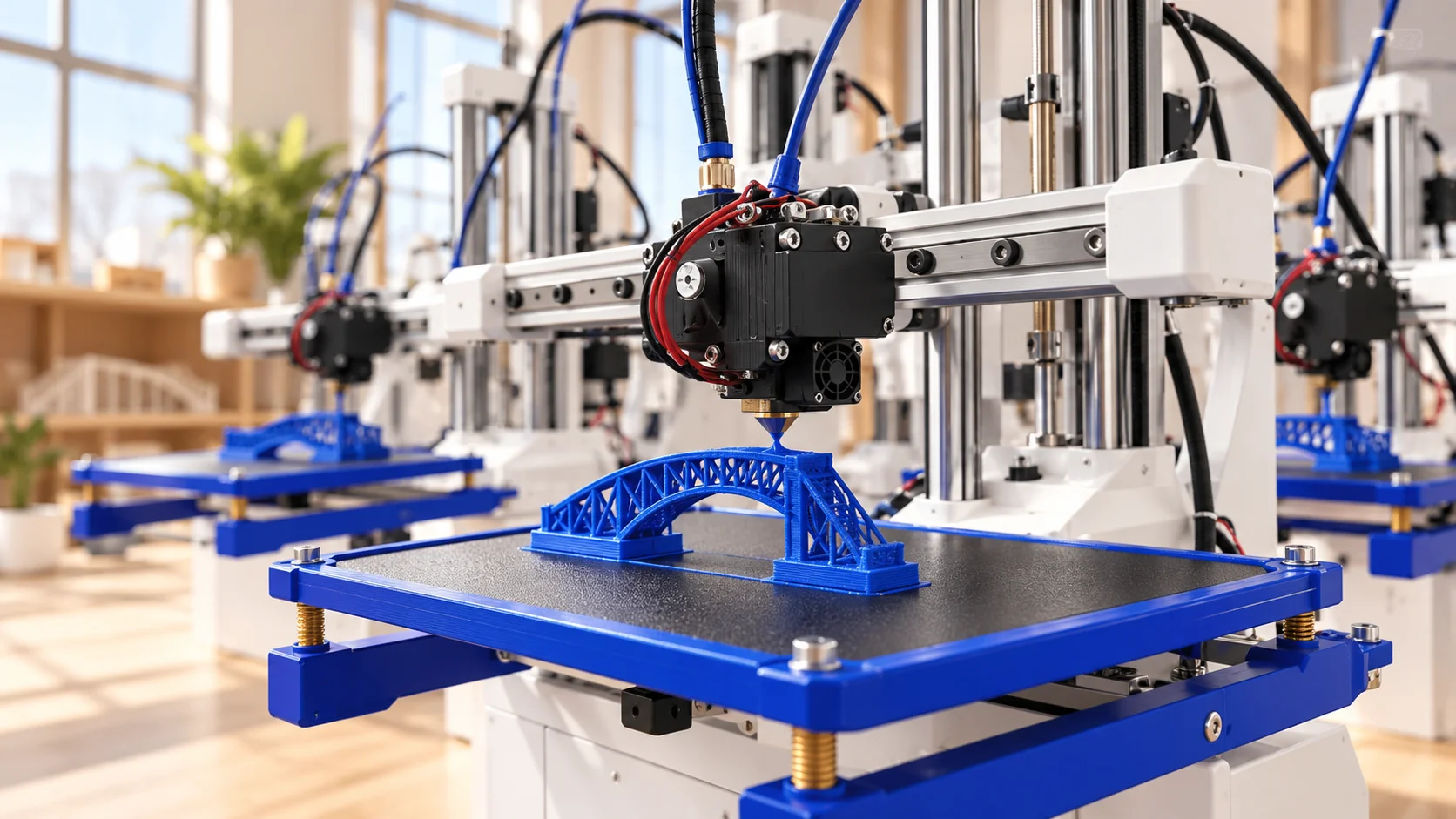
ORCHARD / PRINT
Build prototypes, models, tools, and suitable products across multiple printing modules. Each print module supports a 152.4 × 203.2 × 203.2 mm build area and 1.75 mm filament.
Explore 3D printingA PLATFORM WITH MORE AHEAD
3D printing and plastic recycling are the beginning of the Orchard. Its modular approach creates a path to bring more manufacturing processes into the same makerspace.
THE STARTING POINT
Prototype ideas, make useful objects, and explore material reuse with 3D printing and Filament Fabrication modules.
FUTURE MODULE
A future direction for making objects with molds and exploring another approach to repeat production.
FUTURE MODULE
A future direction for shaping material by cutting it away, adding subtractive manufacturing to the Orchard vision.
Injection molding and milling are future modules, not currently available or included in purchase or rental packages. Timing, specifications, compatibility, and pricing will be announced as development progresses.
Discuss your future projectsStart with the part you want to make and the space where people will use the system.
Base dimensions exclude operating clearances, material storage, and the complete working area. Confirm site, material, and supervision requirements with Itemfarm. Every unit includes 14 modules. Confirm the mix and complete installation requirements in your quote. Ships three weeks after ordering.
PLAN THE PROGRAM, TOO
Bring your teaching goals and space requirements into the purchase conversation.
Project sizes, materials, simultaneous jobs, and your printing/recycling mix.
Workspace, power, operating clearances, ventilation review, and staff responsibilities.
Installation and training scope, first activities, and the software workflow.
Consumables, maintenance responsibilities, support coverage, and service terms.
Purchase inclusions and service coverage are confirmed in your written quote.
SERVICE GUARANTEE
Every rental includes our Service Guarantee. Purchase includes three years of the Service Guarantee and three years of annual operator training. Both options include complete software support.
Phone and email assistance with setup, configuration, and troubleshooting.
Remote diagnosis and eligible replacement parts to help maintain normal operation.
Technical documentation, tutorials, and help working through maintenance steps.
READY FOR YOUR PURCHASING TEAM
Request a written quote that your educators, facilities team, and budget approver can review together.
Request a purchase proposalNumber and type of modules, supported materials, and software access.
Installation is included. Confirm delivery, assembly, workspace needs, and commissioning responsibilities.
Installation, training, and curriculum are included. Specify onboarding, warranty, service coverage, and replacement parts in the quote.
Purchase price, taxes, freight, the optional control computer, consumables, and any recurring charges. Schools can order by purchase order or invoice.
SITE PLANNING
The base footprint is 1.1 × 5.1 ft. Allow additional operating clearance, stable support, material storage, and access for your configuration.
Plan AC 100–240 V power and a compatible Windows computer with USB connections. Confirm circuit requirements and ventilation with Itemfarm and your facilities team.
Identify trained operators, supervision, material handling, and routine care before installation.
YOU BRING THE PEOPLE
Every unit includes training and curriculum. Plan installation and service around your configuration, space, and people.
We plan the configuration and installation with you. Your team provides the agreed workspace, power, and access.
Every Orchard includes comprehensive operator training and full curricula for grades 4–8. Choose a starting point for your people.
The Service Guarantee provides remote troubleshooting, eligible replacement parts, and technical guidance. Your staff handle everyday operation and guided maintenance.
Choose rental or purchase and configure your modules. Still have questions? See the workflow in a demo.